Table of Contents
When publishers discuss website speed, they usually focus entirely on SEO. They install caching plugins and optimize images because they are afraid Google will drop their rankings. While SEO is important, there is a much more immediate reason to speed up your website: a slow website physically steals money out of your pocket every single day.
Ad networks like Google AdSense do not pay you just because an ad script fired. They pay you when an ad renders on the screen and the user has a chance to see it. If your website is slow, you are losing millions of ad impressions to what the industry calls "The Scroll-Past Effect."
In this guide, we will break down the direct mathematical relationship between Core Web Vitals, ad viewability, and your total AdSense revenue, and explain exactly how to optimize your speed without removing your ads.
Recommended ChafikTech Tool
Why you need it: You need to calculate the financial cost of a low Fill Rate.
How it works: A slow website results in a low Fill Rate (because ads fail to load before the user scrolls or leaves). Change the "Fill Rate" input in our calculator from an optimal 85% to a slow 60%. The calculator will instantly show you exactly how many hundreds of dollars your slow hosting is costing you every month.
The Invisible Revenue Killer: The Scroll-Past Effect
Imagine a user reading an article on their smartphone. They are scrolling quickly to find the specific answer they need. They scroll past the second paragraph, where you have configured an AdSense ad to appear.
Here is what happens on a fast website:
- The user scrolls near the ad slot.
- The ad script executes instantly.
- The ad renders exactly as the user scrolls over it.
- The impression is counted, the ad is marked as "Viewable," and you get paid.
Here is what happens on a slow website:
- The user scrolls near the ad slot.
- The bloated JavaScript on your site causes the browser to freeze for 1 second.
- The ad takes 2 seconds to render.
- By the time the ad finally paints on the screen, the user has already scrolled past it to the fifth paragraph.
- You just served a blank white space, the ad was never viewed, and you earned $0.00.
How Core Web Vitals Dictate Revenue
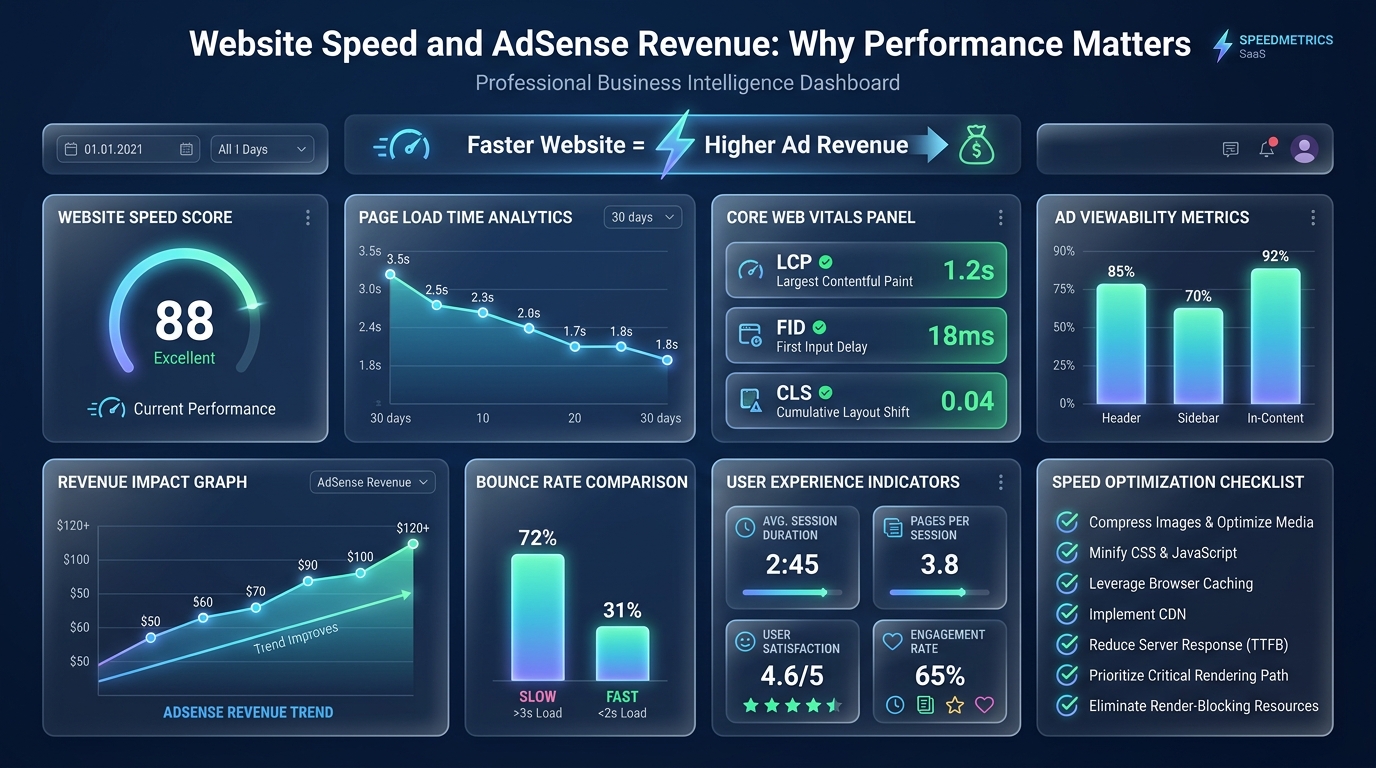
Google introduced Core Web Vitals as an SEO ranking factor, but they are also the exact metrics that determine if your ads will successfully load.
LCP (Largest Contentful Paint)
If your LCP is poor (over 2.5 seconds), it means your main content takes too long to load. If the text hasn't loaded, the user can't start reading. Worse, if your hero image is massive and unoptimized, it blocks the browser's main thread, pushing the execution of your AdSense script further down the queue. A slow LCP directly delays your first ad impression (Usually the highly profitable Anchor or Top-of-Page ad).
CLS (Cumulative Layout Shift)
CLS measures visual stability. Have you ever gone to click a link, but an ad suddenly loaded at the top of the page, pushing the content down, causing you to click the wrong thing? That is CLS. If your ads do not have predefined height and width dimensions in your CSS (e.g., min-height: 250px;), they will aggressively shift your layout. While accidental clicks might earn you a few cents today, Google's "Invalid Traffic" algorithm will deduct that money at the end of the month, and high CLS will destroy your SEO.
How to Optimize Speed While Running Ads
The paradox of digital publishing is that you must have a fast website, but AdSense scripts are inherently heavy and slow. How do you balance both? By using intelligent ad delivery:
1. Defer the AdSense Script
Never let the AdSense script block your main content. In your HTML head, ensure your AdSense script tag includes the defer or async attribute. This tells the browser to load your article text first, allowing the user to begin reading immediately, while the ads load quietly in the background.
2. Implement Aggressive Lazy Loading
As discussed in our Layout Optimization Guide, you should never load all 6 of your article ads when the page first opens. If you do, the browser has to make 6 simultaneous external requests, bringing mobile devices to a crawl. Use an ad management plugin to "Lazy Load" ads so they only execute when the user scrolls within 300 pixels of the ad slot.
3. Reserve Ad Space
To fix your CLS score, you must reserve the exact pixel height for your ads before they load. Wrap your AdSense code in a <div> with a CSS minimum height that matches the ad (e.g., 250px for a standard rectangle). This leaves a blank space on the screen while the ad loads, ensuring the text around it never shifts.
Core Web Vitals Score vs Revenue Impact
| Core Web Vital | Poor Score Impact | Good Score Benefit | Est. Revenue Difference |
|---|---|---|---|
| LCP (Load Speed) | Lower rankings = less organic traffic | More traffic = more impressions | Up to -30% traffic from poor LCP |
| CLS (Layout Shift) | Ads shift on load; users close the page | Stable ads with higher viewability scores | +10–20% ad viewability on stable layouts |
| INP (Interactivity) | Slow page response reduces engagement time | More time on page = more ad impressions served | High INP can reduce ad fill rate |
Common Mistakes
- Ignoring CLS from Ad Units: One of the leading causes of Cumulative Layout Shift is ad slots that load after the page content, pushing everything down. Reserve space for ad units with CSS min-height to lock in your layout before ads load.
- Optimizing Only for the Performance Score: A score of 72 and a score of 89 may both "fail" Google's Core Web Vitals threshold. Focus on the actual field data in Google Search Console, not just the Lighthouse score.
Best Practices
- Use a CDN for LCP Images: Your Largest Contentful Paint (LCP) is almost always the hero image. Serving this image from a Content Delivery Network (CDN) dramatically reduces load times for international visitors.
- Lazy Load Below-the-Fold Ads: Configure your ad placements to only load when a user scrolls within 300px of them. This reduces initial page weight and improves your LCP score without sacrificing ad impressions.
💰 Estimate Your Potential Revenue Uplift
If fixing your Core Web Vitals increases your organic traffic by 25%, how much extra revenue does that translate to? Calculate the exact figure using the Website AdSense Calculator.
Frequently Asked Questions
Conclusion
Site speed is not just a technical checklist for the SEO team; it is a fundamental revenue driver. If your website takes 4 seconds to load on a 4G mobile connection, you are effectively throwing away 30% to 40% of your potential ad revenue.
Invest in premium hosting, defer your AdSense scripts, reserve your ad slots with CSS, and implement aggressive lazy loading. A fast website guarantees high ad viewability, and high viewability guarantees the maximum possible RPM.