Table of Contents
When you connect your website to Google Analytics for the first time, you are presented with a dizzying array of numbers. The two most prominent metrics are "Users" (Visitors) and "Views" (Pageviews).
Many new publishers use these terms interchangeably, saying things like, "I got 10,000 hits today!" But in the world of website monetization, confusing visitors with pageviews will completely ruin your financial forecasting. Let's break down the exact difference and reveal which metric actually pays your bills.
The Definitions
What is a Visitor (User)?
A visitor is a single, unique human being (identified by their IP address and browser cookies) who lands on your website. If John opens his laptop and visits your blog, that counts as 1 Visitor.
What is a Pageview?
A pageview is recorded every single time a page on your website successfully loads. If John reads an article on your blog, clicks a link to a second article, and then clicks a link to your "About Me" page, that counts as 3 Pageviews.
The Result: 1 Visitor generated 3 Pageviews. This ratio is known as "Pages Per Session."
Which Metric Dictates Your AdSense Revenue?
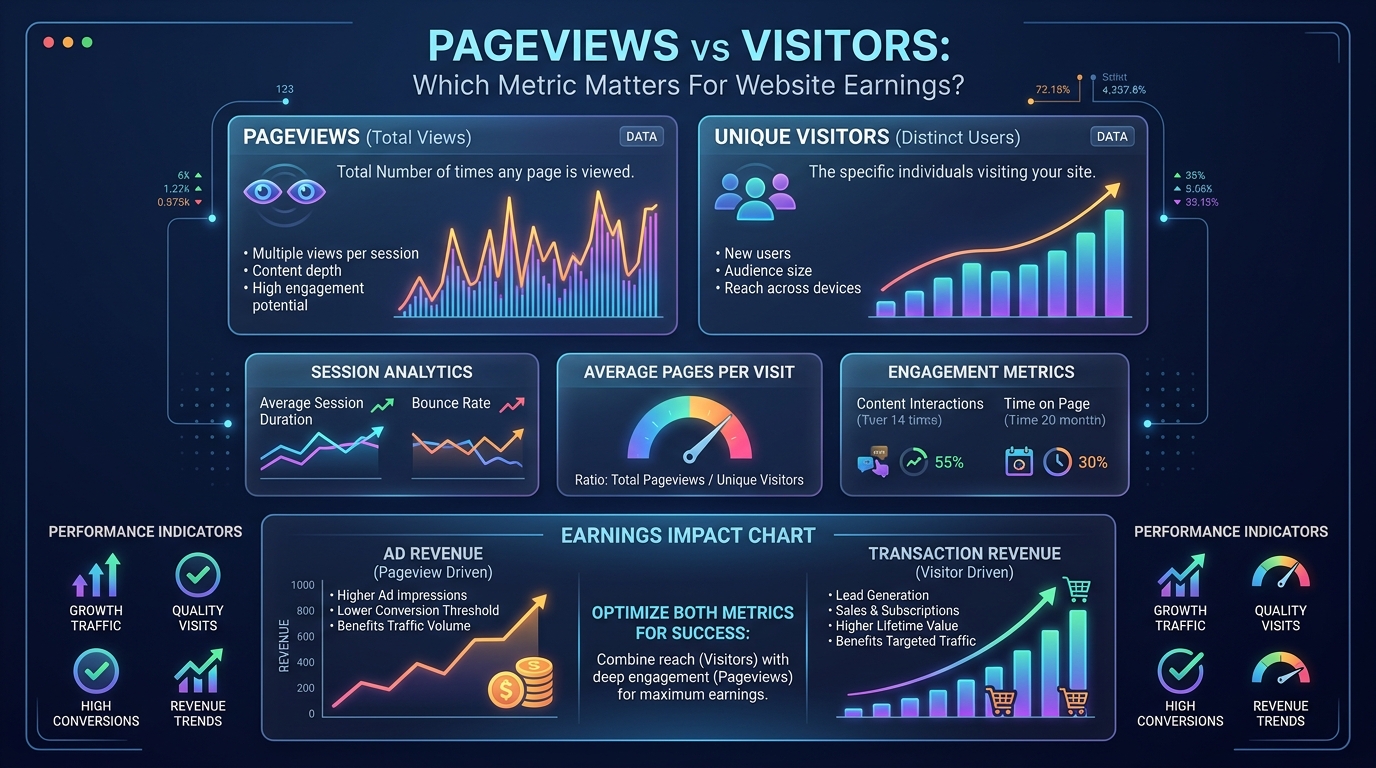
When it comes to programmatic display ads (like Google AdSense), Pageviews are the absolute king.
Advertisers do not care how many unique humans visit your site. They care how many times their ad is rendered on a screen. Every time a new page loads, a fresh set of ads loads with it. Therefore, if John visits 3 pages, you get paid for 3 sets of ad impressions. If John only visits 1 page and leaves, you only get paid once.
This is why website earnings are calculated using Page RPM (Revenue Per Mille), not Visitor RPM.
Test Your Pages Per Session
Want to see the financial impact of getting a user to click just one extra link? Open our Website Earnings Calculator. If you currently have 5,000 visitors who only view 1 page each (5,000 pageviews), input that data. Then, double the pageviews to 10,000 (simulating each visitor reading 2 pages). Your revenue instantly doubles, even though your total audience size didn't grow at all.
When Do Visitors Actually Matter?
If Pageviews dictate AdSense revenue, why does Google Analytics even show Visitors? Because Visitors dictate Affiliate and Product Revenue.
If you are selling an eBook on your website for $20, John is only going to buy it once. It does not matter if John views 1 page or 50 pages; he only has one wallet. If your monetization strategy relies on direct sales, sponsorships, or affiliate marketing, you must focus on increasing unique Visitors rather than just farming Pageviews.
How to Maximize Pageviews (and Earnings)
If your goal is passive AdSense income, your primary objective is to increase your "Pages Per Session." Here are the best ways to get a single visitor to load multiple pages:
- Aggressive Internal Linking: Never leave a reader at a dead end. In the middle of an article, link out to highly relevant, related content (e.g., "If you are struggling with SEO, check out our guide on finding low-competition keywords.")
- Related Posts Widgets: Always place a visually appealing "Read Next" or "Related Articles" grid at the very bottom of every post.
- Pagination (Use with Caution): Some sites split long articles into "Page 1, Page 2, Page 3." This forces the user to load 3 pages to finish the article, tripling ad revenue. However, if the content is not incredibly engaging, the user will get annoyed and bounce.
Tools to Track Your Pageview-to-Revenue Ratio
Understanding the gap between your visitor count and your actual pageview total is key to growing AdSense revenue. Use our Website Earnings Calculator to model different pages-per-session scenarios. Check the AdSense Audit Tool to confirm your ads are loading on all pages (not just the landing page). And visit our RPM Data by Country page to see how your current RPM compares to benchmarks for your niche and region.
Earnings Scenario: Pageviews vs Visitors
| Scenario | Unique Visitors | Pages / Session | Total Pageviews | Est. Monthly Revenue ($15 Page RPM) |
|---|---|---|---|---|
| High Bounce (Social Traffic) | 50,000 | 1.1 | 55,000 | $825 |
| Average Blog (Search Traffic) | 50,000 | 1.5 | 75,000 | $1,125 |
| Highly Engaged (Internal Links) | 50,000 | 2.5 | 125,000 | $1,875 |
Common Mistakes
- Confusing User RPM with Page RPM: Ad networks often report RPM based on sessions or users, while others report it based on pageviews. A $30 User RPM might only equate to a $15 Page RPM if your users view 2 pages per session. Always check which metric you are looking at.
- Using Clickbait Pagination: Splitting a single article into a 10-page slideshow to artificially inflate pageviews. This destroys the user experience, reduces time-on-page, and often causes ad networks to penalize your site for poor ad viewability.
Best Practices
- Master Internal Linking: The most organic way to increase pages per session is to naturally link to related, highly relevant content within the body of your articles.
- Use "Related Posts" Widgets Effectively: Place a visually appealing "You May Also Like" section directly at the end of the article content, before the comments section, to capture users before they bounce.
📊 Model Your Earnings
Increasing your pages-per-session from 1.2 to 1.8 can drastically increase your revenue without needing a single new visitor. Test these numbers in the Website AdSense Calculator.
Frequently Asked Questions
Q: Which metric should I use when reporting my website size to advertisers?
A: Always use Monthly Pageviews, not Unique Visitors. Advertisers and networks like Mediavine use pageviews to calculate your earning potential. Unique visitors would understate your traffic's monetization value.
Q: My visitors are high but pageviews are low. What does that mean?
A: It means users are "bouncing" — they land on one page and leave without clicking anything else. This is a sign of poor internal linking, slow page loading, or content that doesn't match the user's search intent.
Q: How many pageviews per visitor is considered good?
A: The industry average Pages Per Session for content sites is 1.7 to 2.5. If your average is above 3.0, you have an exceptionally sticky site. Below 1.5 indicates a bounce problem that is likely costing you 40–60% of potential ad revenue.
Q: Does Google Analytics count pageviews the same way AdSense does?
A: Not exactly. Google Analytics counts every page load, including pages with no ad code (e.g., your login page). AdSense only counts pages where an ad unit is present. Your AdSense pageviews will always be slightly lower than your GA pageviews.
Q: Can pagination increase my RPM?
A: Yes, but with risk. Splitting one article into 5 pages multiplies your pageviews by 5 for the same content. However, Google penalizes thin paginated content if each page lacks substantial standalone value. Use pagination only for genuinely long content (listicles with 30+ items, for example).
Q: What is the difference between a Session and a Pageview in GA4?
A: A Session is a group of user interactions that occur within a time window (default: 30 minutes of inactivity ends a session). A Pageview is a single page load. One session can contain many pageviews. For AdSense, you care about Pageviews. For Mediavine eligibility, you need Sessions (50,000+).
Q: Does bounce rate directly affect my AdSense earnings?
A: Indirectly, yes. A high bounce rate means fewer pageviews per visitor (less ad impressions), shorter time-on-page (lower viewability), and signals low content quality to Google, which can hurt your search rankings over time, reducing future traffic.
Q: If I add a popup or email capture form, will it hurt my pageviews?
A: Aggressive popups that appear immediately can increase bounce rate significantly. Timed popups (appearing after 30 seconds) or exit-intent popups have minimal impact on pageviews and can grow your email list without harming your ad revenue.
Conclusion
Stop stressing over your unique visitor count if your primary income source is display ads. A website with 50,000 visitors who are deeply engaged and read 3 pages each (150,000 pageviews) will make significantly more money than a website with 100,000 visitors who bounce after reading just one page.
Focus on creating a "sticky" website. By optimizing your internal linking and keeping readers on your site longer, you can artificially scale your AdSense revenue without needing to rank for any new keywords.