If you log into your Google AdSense dashboard as a new website owner, you are immediately bombarded with acronyms: CPC, CTR, Impressions, and RPM. While they all matter, there is only one metric that truly dictates your financial success: Page RPM.
Understanding exactly what RPM is and how Google calculates it is the first step in optimizing your website to earn more money without needing to increase your traffic.
What is Page RPM?
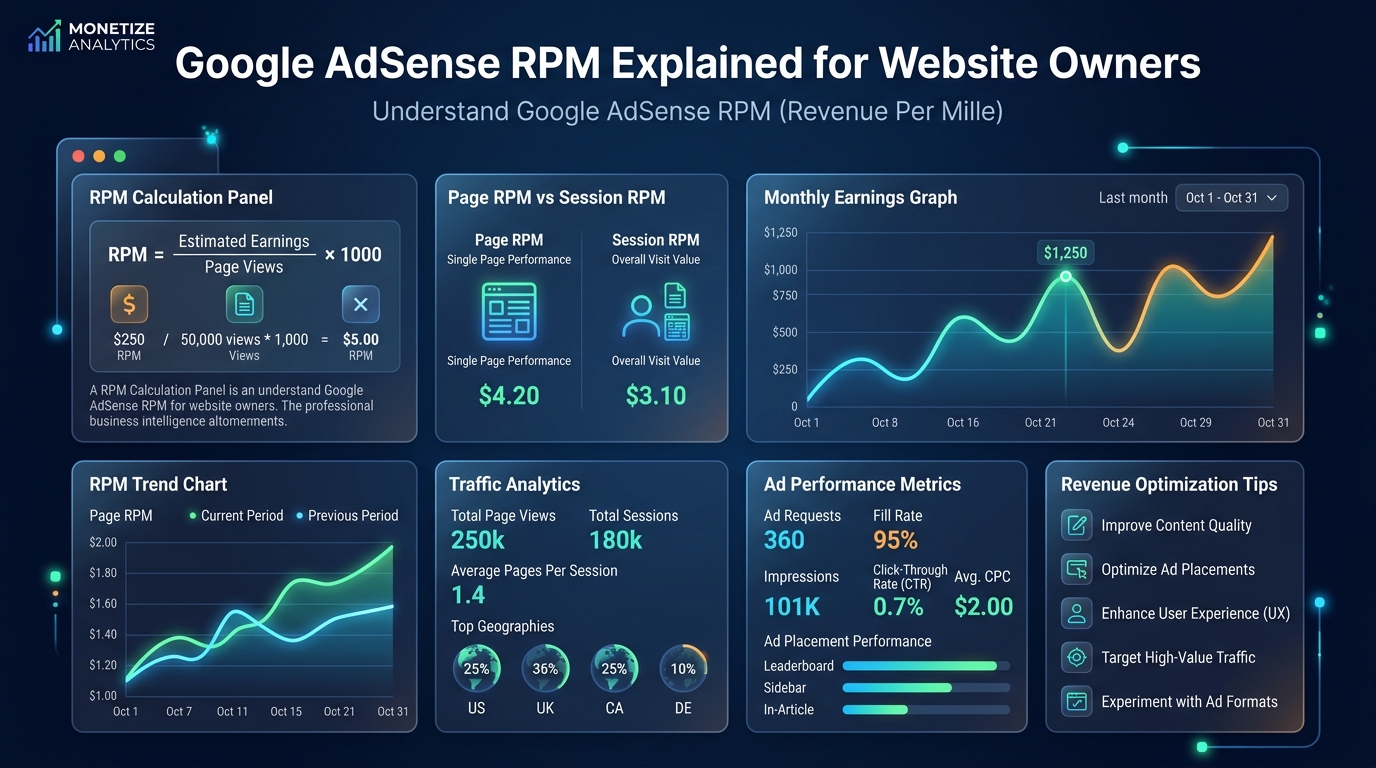
RPM stands for Revenue Per Mille ("Mille" being Latin for one thousand). Specifically, Page RPM tells you exactly how much money your website makes for every 1,000 pageviews it receives.
If your website generated $50 from 10,000 pageviews last week, your Page RPM is $5.00. It is a universal metric used by publishers to measure the true monetization efficiency of a website.
How Google Calculates Your Revenue
To understand why your RPM fluctuates, you must understand the mechanics of AdSense. When a user loads an article on your site, Google runs a microsecond auction in the background. Advertisers bid against each other for the right to show their ad to your reader.
Your RPM is driven by two underlying factors during this auction:
- Ad CTR (Click-Through Rate): The percentage of visitors who actually click on the ads on your site. If users ignore your ads, advertisers pay less, and your RPM drops.
- CPC (Cost Per Click): The actual dollar amount the winning advertiser pays when a user clicks the ad. Google keeps 32% of this bid, and passes 68% onto you, the publisher.
If you write an article about "Cheap Credit Cards," the CPC is massive because banks bid aggressively. This high CPC directly translates to a high Page RPM.
Test Different RPM Scenarios
Curious how a higher RPM impacts your bottom line? Open our Website AdSense Calculator. Keep your traffic exactly the same, but increase the RPM slider from $3 to $15. You will see how optimization, not just traffic growth, is the key to full-time income.
How to Optimize and Increase Your AdSense RPM
You cannot force an advertiser to bid more money, but you can control your website's layout and content strategy to naturally pull higher RPMs.
1. Improve Ad Viewability
Advertisers only pay if a user actually sees the ad. If you place a banner ad at the very bottom of the page (in the footer) and 90% of your readers leave the page before scrolling down that far, your viewability score crashes. Google penalizes sites with low viewability by lowering their RPM. Move your ads higher up the page (above the fold or within the first 3 paragraphs) to instantly boost RPM.
2. Increase Content Length
If you write a 300-word article, you can realistically only place one or two ads before the page looks like spam. If you write a comprehensive, 2,000-word guide, you can comfortably place 5 or 6 ads naturally throughout the text. More ad impressions per pageview mathematically forces your Page RPM higher.
3. Target High-Intent Keywords
As discussed in our guide on reverse-engineering website traffic, the intent of your reader matters. Stop writing generic "informational" articles. Start writing "transactional" articles where advertisers bid massive CPCs.
Audit and Benchmark Your RPM
Before optimizing blindly, you need accurate baseline data. Use the AdSense Audit Tool to detect any policy violations or configuration errors reducing your RPM. For real-world benchmarks, check our RPM Data by Country page to see how your site's performance compares to industry averages in your region. If you are unsure whether your site even qualifies for AdSense, run it through the AdSense Eligibility Checker first.
Frequently Asked Questions
Q: What is a good Page RPM for a website?
A: A general lifestyle blog should aim for $5–$12 RPM. A finance or legal blog with US traffic can achieve $20–$50+ RPM. Anything below $2 RPM suggests either a low-value niche, heavy non-US traffic, or technical AdSense configuration problems.
Q: Is Page RPM the same as Impression RPM?
A: No. Impression RPM is calculated per 1,000 ad impressions (individual ad views). Page RPM is calculated per 1,000 page loads. One page can contain multiple ads, so Page RPM is always equal to or higher than Impression RPM.
Q: Why does my RPM change every day?
A: RPM fluctuates because advertiser bidding is dynamic. More advertisers bid on weekdays than weekends. Q4 (October–December) sees peak bidding. January sees the lowest bids of the year when budgets reset.
Q: Does enabling auto ads increase my RPM?
A: Auto Ads can increase your RPM by finding optimal ad placements automatically, but they can also hurt it if they generate too many low-viewability impressions. Test both auto and manual placement with a 30-day comparison.
Q: Can I see which advertisers are running on my site?
A: Not individually. AdSense only shows broad ad categories. However, you can control which categories appear by going to AdSense → Brand Safety → Content to block irrelevant or low-CPC ad categories.
Q: Why does my RPM drop when I go viral on social media?
A: Social media traffic tends to have very low purchase intent and poor ad engagement. When a viral post floods your site with social visitors, it dilutes your high-intent organic traffic, pulling your average RPM down significantly.
Q: How does ad density affect RPM?
A: Moderate ad density increases RPM by creating more impressions per pageview. However, excessive ads (more than one ad per screen height) trigger Google's Better Ads Standards enforcement, which can result in limited ads status and actually decrease your RPM.
Q: Does my website's topic change RPM mid-article?
A: Yes. If an article starts with "mortgage rates" but transitions into "home decor tips," the ads displayed may shift from high-CPC financial ads to low-CPC retail ads partway through. Keep articles tightly focused on a single high-CPC topic to maintain consistent RPM throughout.
Conclusion
Page RPM is the ultimate report card for your website's monetization strategy. A high RPM proves that you are targeting the right niche, attracting a valuable audience, and placing your ads efficiently.
Stop obsessing over simply getting more traffic. Spend a month optimizing your ad placements and targeting high-CPC keywords, and you may find that you can double your revenue without generating a single new visitor.