Table of Contents
Inside the YouTube Studio dashboard, two metrics dictate the financial success of your content: CPM and RPM. To the untrained eye, these acronyms appear almost interchangeable. In reality, they represent two entirely different ends of a massive financial transaction.
Understanding the fundamental relationship between Cost Per Mille (CPM) and Revenue Per Mille (RPM) is the crucial difference between a creator who blindly accepts whatever the algorithm pays them, and a creator who actively optimizes their channel as a highly profitable business.
If you want to know exactly where your money comes from—and more importantly, where it is leaking out—you must master the gap between what advertisers are paying and what you are actually taking home.
The Core Definitions: Two Sides of the Same Coin
Every time an advertisement plays on the platform, an economic exchange occurs. The CPM and RPM metrics simply track the money entering and exiting that exchange.
What is CPM (Cost Per Mille)?
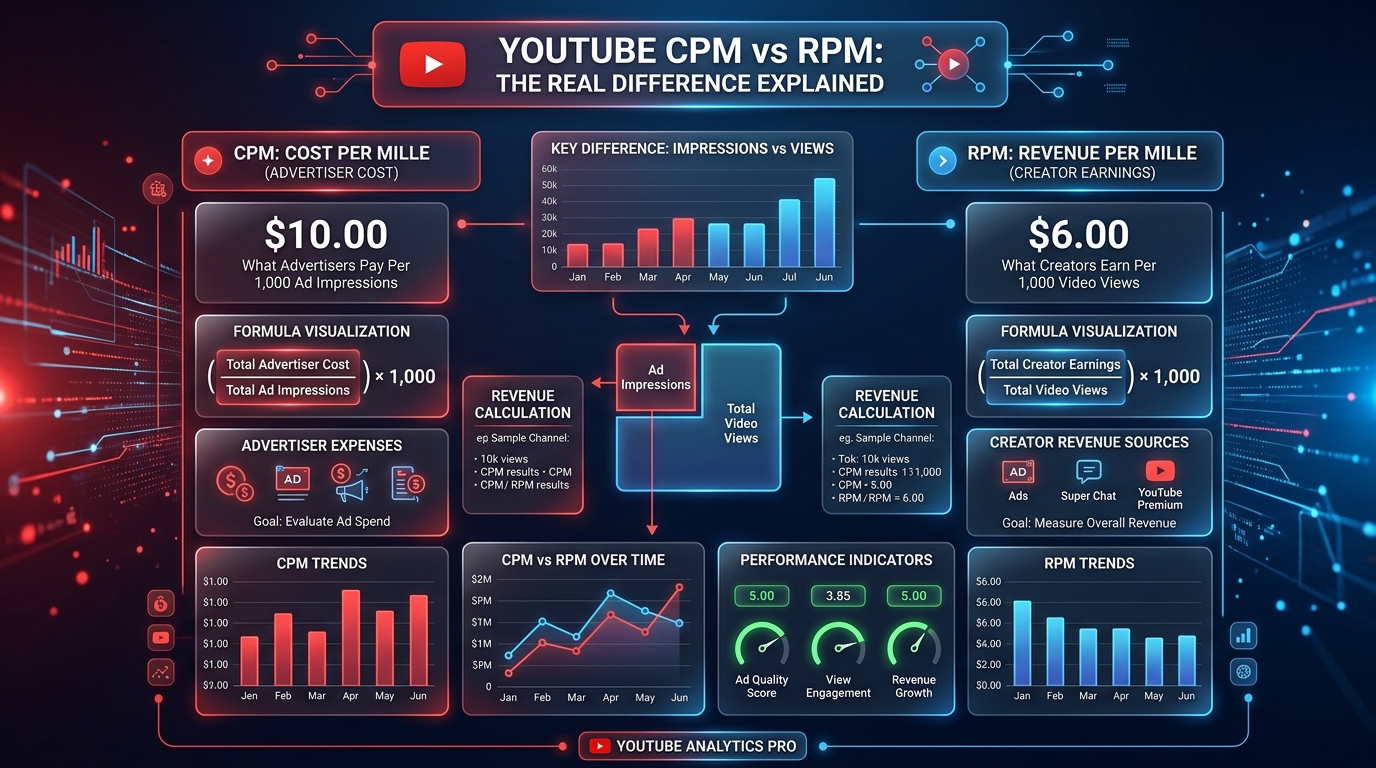
CPM strictly tracks the Advertiser's Spend. It answers the question: "How much did a brand pay YouTube to show 1,000 ad impressions on this video?"
It is a gross metric. If your CPM is $10.00, it means that for every thousand times an ad was successfully served to a viewer, a company paid YouTube ten dollars. CPM only tracks monetized playbacks; if a viewer used an ad blocker or the video had no mid-roll ad, it is ignored in the CPM calculation.
What is RPM (Revenue Per Mille)?
RPM strictly tracks the Creator's Net Earnings. It answers the question: "After YouTube takes its cut, how much money did I actually earn per 1,000 total video views?"
RPM is calculated by taking your total revenue (including ads, Super Chats, Memberships, and Premium revenue) and dividing it by your total views (including views where no ads were shown). It is the final, bottom-line number.
Diagnosing the Gap Between CPM and RPM
Because CPM is a gross metric based only on ad impressions, and RPM is a net metric based on all views, your CPM will always be higher than your RPM.
However, the size of that gap tells a powerful story about your channel's monetization health. By analyzing why the gap widens or narrows, you can identify critical errors in your content strategy.
Scenario 1: A Massive Gap
If your CPM is $15.00 but your RPM is only $2.00, something is severely wrong. A massive gap indicates that advertisers are willing to pay a premium for your audience, but the ads are not actually reaching them. This is usually caused by:
- Rampant Ad Blocker Usage: Your tech-savvy audience is bypassing the ads completely. They count as views, diluting the RPM, but generate zero revenue.
- Extremely Short Videos: A three-minute video only allows one pre-roll ad. The advertiser pays highly for that one impression, yielding a high CPM, but because there are no mid-roll ads, the overall RPM stays low.
- Yellow Icons (Limited Ads): If a video is deemed not brand-safe, only a tiny fraction of advertisers will bid on it. The few ads that do play might have a decent CPM, but the vast majority of your views will remain unmonetized.
Scenario 2: A Narrow Gap
If your CPM is $8.00 and your RPM is $5.50, your channel is operating with brutal efficiency. A narrow gap means that almost every view you generate is successfully triggering an ad impression, and your audience is highly engaged with your alternative revenue streams.
- Optimized Mid-Rolls: You are strategically placing mid-roll ads in long-form videos, ensuring multiple ad impressions per single view.
- High Premium Viewership: Viewers with YouTube Premium don't see ads, so they don't contribute to CPM. However, their watch time pays you directly, raising your RPM without affecting your CPM.
- Strong Community Support: High volume in Channel Memberships and Super Chats inflates your RPM, closing the gap between your net earnings and the advertiser's gross spend.
Audit Your Monetization Health
Are you leaving money on the table due to a massive gap? Run your metrics through our comprehensive AdSense Audit Tool. This tool helps diagnose whether your click-through rates and view-to-ad impression ratios are healthy compared to industry standards, or if immediate changes are required.
How to Track the Difference in Advanced Analytics
To truly master your income, you must go beyond the basic dashboard overview and dive into the Advanced Mode within YouTube Studio.
Navigate to the "Revenue" tab and click "See More" beneath your main chart. Here, you should apply a secondary metric so you can view the CPM and RPM lines stacked on top of one another. Pay close attention to historical trends rather than daily spikes.
If you notice your CPM rising over a 90-day period but your RPM staying flat, you need to investigate your video length and ad placements immediately. Advertisers are paying more, but you are failing to capture that increased budget.
The Role of Geography in Bidding Strategies
Both CPM and RPM are heavily dictated by where the viewer is sitting. An advertiser selling expensive enterprise software in London will bid aggressively to reach a UK viewer, generating a massive CPM.
Conversely, an advertiser in a developing nation will bid significantly less. Because CPM is an average of all these global bids, a channel with a highly international audience will see wild fluctuations. To understand what advertisers are currently paying in specific regions, consult our regularly updated global RPM Data index.
Best Practices for Balancing the Metrics
Optimizing your channel requires a dual approach: making your content attractive to high-paying advertisers (raising CPM), and ensuring your viewers actually see those ads while supporting you directly (raising RPM).
- Clean Up Your Metadata: Advertisers bid on keywords. Ensure your video titles, tags, and descriptions contain highly specific, professional language relevant to your niche. This signals safety to premium brands, driving up your CPM.
- Master the 8-Minute Mark: Consistently producing videos longer than eight minutes unlocks mid-roll ads. Manually placing these ads at suspenseful moments ensures viewers don't click away, driving up your RPM.
- Check for Consistency: Before launching a massive content strategy, use the YouTube Earnings Calculator to simulate how different CPM ranges will impact your final take-home RPM based on your target audience size.
CPM vs RPM: The Formula Breakdown
| Metric | Formula | Who Gets This? | Typical Value |
|---|---|---|---|
| CPM (Cost Per Mille) | Advertiser spend per 1,000 ad impressions | YouTube (total revenue) | $2 – $15+ (niche dependent) |
| Playback-Based CPM | Revenue per 1,000 ad-enabled video playbacks | YouTube (monetised views only) | Slightly lower than CPM |
| RPM (Revenue Per Mille) | (Total Earnings / Total Views) x 1,000 | Creator (after YouTube's 45% cut) | ~55% of CPM |
Common Mistakes
- Quoting CPM Instead of RPM: When creators say "I earn $10 CPM," they are almost always referring to RPM. Conflating the two overstates earnings by ~80% and confuses sponsors during negotiation.
- Expecting RPM to Equal CPM: New creators are often shocked that their $10 CPM only produces a $5.50 RPM. Understanding that YouTube retains 45% of ad revenue is essential for accurate income projections.
Best Practices
- Always Use RPM for Financial Planning: RPM is the money that hits your bank account. Use it — not CPM — when forecasting income, setting financial goals, or comparing your channel's performance month over month.
- Increase CPM by Attracting High-Value Advertisers: Create content that mentions finance, software, or B2B tools. These categories attract advertisers with budgets 5–10x higher than entertainment or gaming advertisers.
🔢 Calculate Using Your Real RPM
Now that you understand the CPM vs RPM gap, enter your actual RPM (from YouTube Studio) into the YouTube Earnings Calculator for an accurate income projection — not an inflated one.
Frequently Asked Questions
Which metric should I care about more?
As a creator, RPM is the only number that dictates your actual take-home pay. CPM is useful for diagnosing the health of your advertiser demand, but RPM pays the bills.
Can my RPM ever be higher than my CPM?
Yes, but it is rare. If a video gets very few ad impressions (resulting in low ad revenue) but receives massive Super Chats or is heavily viewed by YouTube Premium members, the total revenue can mathematically exceed the ad-only CPM metric.
Does changing my video category change my CPM?
Slightly. While the category drop-down helps, advertisers primarily bid based on the specific keywords in your title and the demographic data of your viewers, not just the broad channel category.
Why did both my CPM and RPM drop in January?
This is an industry-wide phenomenon. Advertisers exhaust their massive holiday budgets in November and December. In January, ad spending resets and plummets, causing both metrics to drop significantly across the entire platform.
Do ad blockers affect CPM or RPM?
They affect RPM. Since an ad blocker prevents the ad from serving, it is never counted as an ad impression, so it doesn't hurt the CPM average. However, it still counts as a video view, meaning your total revenue is divided by a larger number of views, lowering your RPM.
How can I find out if a video is losing money due to "Limited Ads"?
In your YouTube Studio, check the monetization icon next to the video. A yellow dollar sign means the video is not brand-safe. Your CPM will likely plummet because premium advertisers will refuse to bid on it.
Do YouTube Shorts have a CPM?
Shorts monetization operates differently and relies on a pooled revenue model rather than direct individual video bidding. Therefore, standard CPM metrics are not the primary focus for short-form vertical content.
If I use the "AdSense Checker" tool, will it show my CPM?
Tools like our AdSense Checker verify that your website or domain is properly approved and displaying ads, but actual CPM/RPM data must be viewed securely within your private YouTube Studio dashboard.
Conclusion
CPM and RPM are not just random acronyms in your analytics dashboard; they are the ultimate report card for your digital business. CPM tells you exactly how valuable advertisers find your audience, while RPM tells you how efficiently you are monetizing that attention.
By constantly monitoring the gap between these two numbers, you can easily identify whether you need to attract higher-paying advertisers by shifting your niche, or if you simply need to optimize your ad placements and diversify your income streams. Mastering this relationship is the absolute key to scaling a sustainable, full-time income on the platform.