Table of Contents
You check your YouTube Studio analytics and notice that your video has 100,000 views but your monetized playbacks — the views that actually generated ad revenue — is only 68,000. Where did those 32,000 views go? They watched your video, consumed your content, cost you production time, but generated exactly zero advertising revenue.
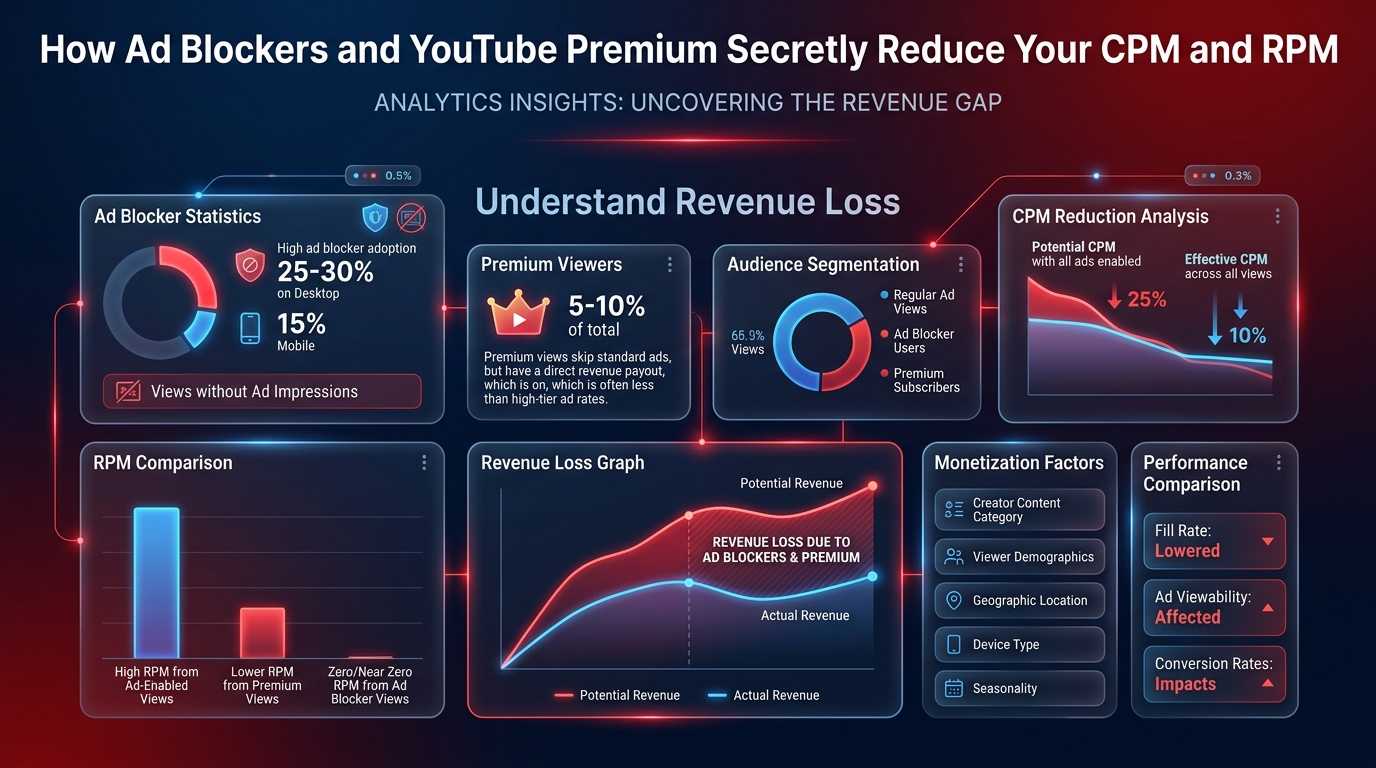
The culprits are two very different forces: ad blockers that prevent any ads from loading at all, and YouTube Premium subscribers whose viewing triggers a revenue share model instead of traditional advertising. Both affect your earnings in ways most creators do not fully understand.
🔧 Recommended ChafikTech Tool
Account for monetization gaps: When using our calculator, your "effective" view count for AdSense purposes is lower than your raw view count. If your niche has a high ad-blocker rate (tech, gaming), reduce your input views by 20–35% to get a more accurate revenue estimate. This prevents overestimating your monthly income.
Ad Blockers: The Silent Revenue Leak
Ad blockers are browser extensions (like uBlock Origin or AdBlock Plus) and DNS-based filters (like Pi-hole) that prevent advertising scripts from loading entirely. When a viewer with an ad blocker watches your video:
- No pre-roll ad loads
- No mid-roll ads fire
- No banner overlays appear
- The view is counted in your total view count
- The view generates zero AdSense revenue
This view appears in your analytics as a "view" but not as a "monetized playback," creating the gap between your total views and your revenue-generating views.
Ad Blocker Rates by Niche
Not all audiences block ads equally. The rate varies dramatically based on your viewer demographics:
| Niche / Audience Type | Estimated Ad Blocker Rate | Revenue Impact |
|---|---|---|
| Tech, Programming, Cybersecurity | 35–50% | Very High |
| Gaming | 25–40% | High |
| Finance / Investing | 15–25% | Moderate |
| Education / Tutorials | 15–25% | Moderate |
| Lifestyle / Cooking / Vlogs | 8–15% | Low–Moderate |
| Family / Kids / Parenting | 5–10% | Low |
YouTube Premium: Different Rules, Real Revenue
YouTube Premium subscribers pay a monthly fee ($13.99–$22.99/month in the US) to watch YouTube without ads. When a Premium subscriber watches your video:
- No traditional ads are served
- YouTube pools all Premium subscription fees into a monthly fund
- The fund is distributed to creators based on how much Premium subscribers watch their content
- You receive a per-thousand-views payment from this pool, called your YouTube Premium RPM
Unlike ad blockers (which pay you nothing), Premium subscribers do generate revenue — just through a different mechanism at a different rate.
How Premium RPM Compares to Regular RPM
| Revenue Type | How It's Calculated | Typical RPM Range | Payout to Creator |
|---|---|---|---|
| Regular AdSense RPM | Ad auction bids | $2–$25+ | 55% of gross revenue |
| YouTube Premium RPM | Premium pool distribution | $3–$15 | 55% of allocated Premium revenue |
For many creators, their YouTube Premium RPM is actually higher than their regular AdSense RPM. This is because Premium subscribers tend to be more engaged, higher-income viewers — exactly the demographic advertisers pay most to reach. A creator with an average AdSense RPM of $5 might find their Premium RPM is $8–$10.
How to See Your Premium Revenue in YouTube Studio
Go to YouTube Studio → Analytics → Revenue → click "See more" → look for the "YouTube Premium revenue" line in your revenue breakdown. Most creators are surprised to find Premium represents 15–30% of their total AdSense revenue.
Strategies to Offset Ad Blocker Revenue Loss
1. Integrate Sponsorships for Your High-Ad-Blocker Audience
Ad blockers cannot block a creator verbally saying "this video is sponsored by..." in the video content itself. If 40% of your tech audience uses ad blockers, sponsorship integrations are especially valuable because they reach 100% of your viewers regardless of their ad blocking status. The ad-blocker-heavy tech audience is also highly valuable to sponsors.
2. Promote Affiliate Links Verbally
Similarly, affiliate links embedded in your video description are not blocked by ad blockers. Verbally directing viewers ("the link is in the description") ensures that even ad-blocking viewers can still generate affiliate commission revenue for you when they click through.
3. Encourage YouTube Premium Sign-Ups
You can legitimately mention to your audience that watching without an ad blocker (or with YouTube Premium) directly supports your channel. Many loyal viewers are unaware that their ad blocker zeroes out your revenue — a simple, non-preachy mention educates your audience without alienating them.
Ad Blocker vs YouTube Premium Revenue Comparison
| Viewer Type | Revenue Generated per 1,000 Views | Creator Receives | What You Can Do |
|---|---|---|---|
| Standard Viewer (No blocker) | Full CPM (e.g. $8.00) | ~55% = ~$4.40 RPM | Nothing — this is the baseline |
| Ad-Blocked Viewer | $0.00 | $0.00 | Nothing directly (YouTube handles anti-block) |
| YouTube Premium Subscriber | Share of monthly fee (proportional watch time) | Varies (~$0.50 – $2.00 per 1,000 views) | Create content that encourages longer watch time |
Common Mistakes
- Blaming Ad Blockers for Low RPM: Ad blockers affect all creators equally. If your RPM is low, the more likely culprits are a low-CPC niche, a young audience demographic, or non-US traffic — not ad blockers specifically.
- Ignoring YouTube Premium Revenue: Many creators forget that their YouTube Studio dashboard shows a combined RPM that includes both ad revenue and their Premium revenue share. A high Premium viewership audience (tech, finance) actually boosts this figure.
Best Practices
- Maximise Watch Time: YouTube Premium pays based on the proportion of a subscriber's total monthly watch time spent on your channel. The longer your videos keep Premium subscribers watching, the higher your Premium revenue per 1,000 views.
- Diversify Beyond Ad Revenue: Since you cannot control how many viewers use ad blockers, focus on income streams you can control — memberships, merchandise, digital products, and affiliate links in descriptions.
📊 Calculate Your True Net RPM
Your YouTube Studio RPM already accounts for both ad revenue and Premium revenue share. Use that figure in the YouTube Earnings Calculator to project your most accurate future income.
Frequently Asked Questions
Conclusion
Ad blockers and YouTube Premium are two permanent features of the YouTube ecosystem that every serious creator must account for. Ad blockers represent lost AdSense revenue that can only be recovered through direct monetization methods like sponsorships and affiliate marketing. YouTube Premium represents an alternative revenue stream that may actually pay better than regular advertising for engaged, high-value niches.
Use our YouTube Earnings Calculator with adjusted view counts to get realistic AdSense projections for your specific niche's ad blocker rate. And read our guide on why early RPMs fluctuate to understand additional revenue volatility factors.