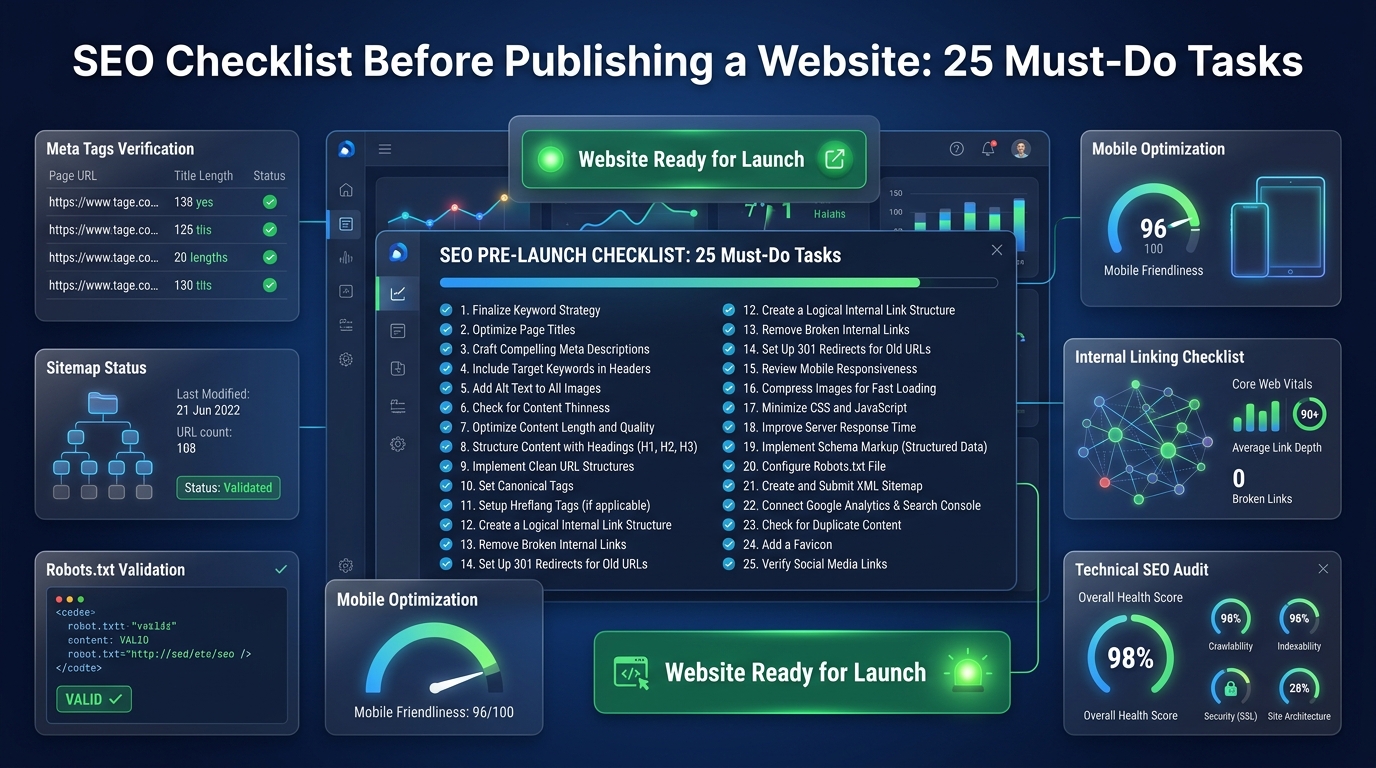
Launching a website without an SEO checklist is like opening a store and forgetting to put up a sign. You may have an excellent product inside, but if Google cannot find, crawl, or understand your pages correctly, you will get zero organic traffic — regardless of how good your content is.
The most damaging SEO mistakes are not made after launch — they are baked in at launch day and then silently suppress traffic for months before anyone notices. This 25-point checklist prevents that outcome.
Section 1: Technical Foundation
🔧 Technical Setup
✓
SSL Certificate Installed: Your site must load on HTTPS, not HTTP. Verify this by checking for the padlock icon in the browser address bar. Most modern hosting providers offer free SSL via Let's Encrypt.✓
robots.txt Configured: Check that your robots.txt file is not accidentally blocking Googlebot from crawling your site. Visit yourdomain.com/robots.txt and ensure important directories are NOT disallowed.✓
XML Sitemap Created and Submitted: Create a sitemap.xml listing all your important URLs and submit it in Google Search Console under Sitemaps.✓
Google Search Console Verified: Add and verify your domain property in Google Search Console before launch. This gives you immediate indexing data.✓
Google Analytics 4 Installed: Install GA4 tracking code (or Google Tag Manager) so you collect data from the very first visitor.✓
301 Redirects Set Up: If migrating from an old domain, ensure every old URL redirects correctly to its new equivalent. Missing redirects cause instant ranking loss.✓
Canonical URL Configured: Ensure your site resolves to only ONE version (e.g., https://www.yourdomain.com — not both www and non-www). Set the preferred version in Search Console.✓
Core Web Vitals Passing: Run PageSpeed Insights on your homepage and 2–3 key pages. Ensure LCP, INP, and CLS all score "Good" before launch.✓
Mobile Responsive: Test all pages on a real mobile device (or Chrome's Device Emulator). Google uses mobile-first indexing — the mobile version determines rankings.
Section 2: On-Page SEO
📄 On-Page Optimization
✓
Every Page Has a Unique Title Tag: No two pages should share the same title. Max 60 characters, contains the target keyword naturally.✓
Every Page Has a Unique Meta Description: Max 160 characters. Treat it as an ad copy — compel the user to click.✓
Every Page Has Exactly One H1 Tag: The H1 should match or closely mirror the title tag. No page should have zero H1s or multiple H1s.✓
Clean URL Structure: URLs should be short, lowercase, hyphenated, and descriptive (e.g., /blog/seo-checklist). No underscores, no dynamic parameters where avoidable.✓
All Images Have Alt Text: Every image should have descriptive, keyword-relevant alt text. This helps accessibility and image search ranking.✓
Internal Linking Structure In Place: Your homepage should link to your most important pages. Key articles should link to each other contextually.
Section 3: Content Quality
✍️ Content Standards
✓
Each Article Targets a Specific Keyword: No two articles should target the same primary keyword (keyword cannibalization).✓
Minimum Word Count Met: Informational articles should be at least 1,000 words. Competitive topics often require 1,500–2,500 words.✓
About, Contact, and Privacy Policy Pages Exist: These are E-E-A-T signals that Google uses to assess site legitimacy. They are also required for AdSense approval.✓
Schema Markup Added: Add Article schema to blog posts and FAQ schema to pages with Q&A sections to improve Rich Result eligibility.
Section 4: AdSense & Monetization Readiness
💰 Monetization Preparation
✓
Cookie Consent Banner Installed: Required by GDPR/CCPA for EU and California visitors. Without it, Google AdSense personalized ads cannot function correctly in these regions.✓
Privacy Policy Mentions Data Collection: Specifically state that you use third-party advertising services (like Google AdSense) and that they may use cookies.✓
Ad Placeholder Containers Have Fixed Heights: Define minimum-height CSS for ad containers to prevent Cumulative Layout Shift (CLS) issues when ads load.✓
No Accidental Content Policy Violations: Review all content against Google's AdSense Programme Policies. Content about drugs, weapons, or adult material will block AdSense approval.
Critical SEO Launch Checklist
| Task Category |
Checklist Item |
Priority Level |
| Technical Setup | Ensure 'Discourage search engines' is unchecked in WordPress | CRITICAL |
| Technical Setup | Install an SSL Certificate (HTTPS) | CRITICAL |
| Google Tools | Submit XML Sitemap to Google Search Console | High |
| On-Page SEO | Ensure all pages have a unique Title Tag and H1 | High |
| Performance | Optimize and compress all images to WebP format | Medium |
Common Launch Mistakes
- Forgetting to Remove the No-Index Tag: The most common and devastating mistake is leaving the "discourage search engines from indexing this site" box checked after moving from a staging environment to live.
- Launching with Dummy Content: Publishing a site that still contains "Lorem Ipsum" placeholder text or empty category pages can result in Google algorithmically classifying your site as low-quality from day one.
Post-Launch Best Practices
- Set Up 301 Redirects: If you are redesigning or migrating an existing site, ensure every old URL is properly 301 redirected to its new counterpart to preserve existing backlink equity.
- Monitor the Coverage Report: Check Google Search Console 48 hours after launching and submitting your sitemap to identify any immediate crawl errors or blocked resources.
Frequently Asked Questions
Q: Should I launch with few pages or wait until I have more content?
A: Launch with a minimum of 10–15 high-quality articles plus your About, Contact, and Privacy Policy pages. A website with 3 pages sends weak topical signals to Google. Having 10–15 articles creates enough internal linking structure for Googlebot to properly understand your site's topic.
Q: How long after launch will Google start ranking my site?
A: Google typically discovers and indexes a new site within 1–2 weeks if you submit your sitemap in Search Console. However, meaningful rankings for target keywords usually begin to appear after 3–6 months, as Google assesses your site's quality and authority over time.
Q: Is a sitemap.xml absolutely required?
A: Not strictly required — Google will eventually discover your pages by following links. But submitting a sitemap dramatically accelerates the initial indexation of all your pages, especially for a new site with few external links. Always submit one.
Q: What if my robots.txt is blocking Googlebot and I don't know it?
A: Search Console will alert you with a "Blocked by robots.txt" error in the Coverage report. You can also test it directly by visiting Google Search Console's robots.txt tester, which shows which URLs are being blocked.
Q: Do I need to submit individual articles to Google for indexing?
A: Not always, but it speeds things up. After publishing each article, go to Search Console's URL Inspection tool, paste the URL, and click "Request Indexing." This typically triggers a crawl within 24–72 hours.
Q: What is keyword cannibalization and how do I prevent it?
A: Keyword cannibalization happens when two pages on your site target the same keyword. Google becomes confused about which page to rank, often promoting neither well. Prevent it during the content planning phase by mapping each article to a unique primary keyword before writing.
Q: Can I apply for AdSense before launch?
A: No. Google requires your site to be publicly accessible, contain original content, and have been published for some time (generally at least a few weeks with multiple articles) before an AdSense application is reviewed. Apply after you have 15–20 live articles and have established basic site navigation.
Q: Should I noindex tag pages, category pages, and author archives?
A: Generally yes for WordPress sites. These automatically generated pages are often thin content duplicates that waste crawl budget. Use a plugin like Yoast SEO or Rank Math to noindex archives, tag pages, and pagination pages that don't add unique value.
Conclusion
Completing this pre-launch checklist takes an extra few days of preparation but can save you months of post-launch confusion and traffic suppression. The most valuable item on the entire list: install Google Search Console and Google Analytics 4 before your first visitor arrives. Once you are live and growing, use our Website AdSense Calculator to set monthly traffic and revenue targets.
Pre-launch SEOWebsite LaunchSEO ChecklistGoogle IndexingGoogle Search ConsoleTechnical SEOSitemapAdSense SetupContent StrategyWebsite Optimization