Table of Contents
Most website owners know they need good SEO, but very few know how to objectively measure it. A website's "SEO score" is not a single number published by Google — it is a composite assessment of dozens of technical, on-page, and off-page factors that collectively determine how well Google can crawl, understand, and rank your content.
This step-by-step guide walks you through a complete SEO health check using freely available tools, so you can identify exactly where your site stands and which issues to fix first.
🔧 Recommended ChafikTech Tool
After completing your general SEO audit, run your website through our AdSense Audit Tool. It checks ad-specific issues: policy compliance, placement quality, and whether your current ad configuration is maximizing your revenue potential or leaving money on the table.
Step-by-Step SEO Score Audit
Check Google Indexing Status
Before anything else, confirm Google has actually indexed your website. Open Google and search: site:yourdomain.com. The number of results shown is the approximate number of pages Google has indexed. If you see zero results, your site has a fundamental indexing problem (possibly a robots.txt block or noindex tag).
Review Google Search Console
In Search Console, navigate to the Coverage report. You will see pages broken into four categories: Error (not indexed), Valid with warnings, Valid (indexed), and Excluded. Focus on the Error tab first. Common errors include "Crawled — currently not indexed" (content quality issue) and "Redirect error" (broken redirect chain).
Run a Technical Audit with a Crawl Tool
Use Screaming Frog SEO Spider (free for up to 500 URLs) to crawl your site. Pay attention to:
- 4XX Status Codes: Pages that return a 404 error are broken. Every broken link wastes crawl budget and loses potential link equity.
- Missing Title Tags: Pages with no title tag get no topical signal from Google.
- Duplicate Titles/Meta Descriptions: Cannibalize each other's rankings.
- Missing H1 Tags: Every indexable page needs exactly one H1.
Check Page Speed & Core Web Vitals
Visit Google PageSpeed Insights and enter your homepage URL, then your 3 highest-traffic article URLs. You need a separate score for Mobile and Desktop. Pay attention to the three Core Web Vitals: LCP (loading), INP (interactivity), and CLS (visual stability). A "Needs Improvement" or "Poor" label means Google may be actively limiting your ranking potential.
Analyze On-Page SEO Quality
For your top 5 most important pages, manually review: Does the primary keyword appear in the title tag, H1, and within the first 100 words of the body? Are images using descriptive alt text? Is the content at least 1,000 words for competitive topics? Does the page have 2-4 relevant internal links?
Assess Backlink Profile
Use Ahrefs' free Backlink Checker or Ubersuggest to review your backlink count and Domain Rating. Note the ratio of "Dofollow" to "Nofollow" links. A healthy site has a growing number of dofollow backlinks from relevant, authoritative domains in your niche.
Score and Prioritize Issues
Compile all issues found. Assign each a priority score using this framework:
| Issue Type | Priority | Fix First? |
|---|---|---|
| Indexing errors blocking key pages | Critical | Yes — immediately |
| Failed Core Web Vitals | High | Yes — within 1 week |
| Missing title tags / H1s | High | Yes — within 1 week |
| Slow page speed (not Core Vitals) | Medium | Within 1 month |
| Missing image alt text | Low | Batch fix quarterly |
Step-by-Step Audit Process
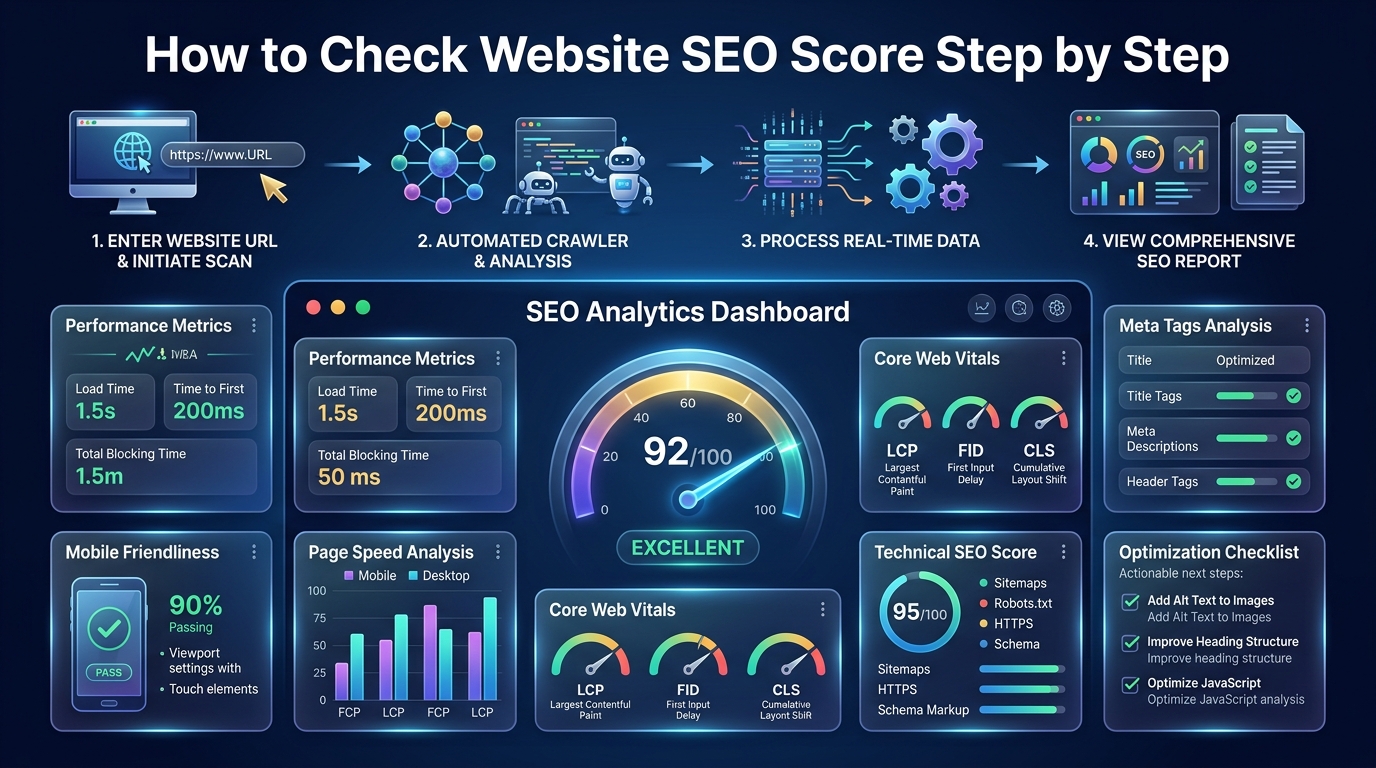
Performing a comprehensive SEO check requires looking beyond a single metric. Follow this process:
- Check Core Web Vitals: Enter your URL into Google PageSpeed Insights. Focus on LCP (Largest Contentful Paint) and CLS (Cumulative Layout Shift).
- Crawl for Technical Errors: Use a tool like Screaming Frog or Ahrefs Site Audit to find broken links (404s), missing meta tags, and duplicate content.
- Review Indexing Status: Open Google Search Console and check the "Pages" report to ensure your critical content is actually indexed by Google.
SEO Audit Tools Comparison
| Tool | Best For | Cost | Key Feature |
|---|---|---|---|
| Google Search Console | Technical Indexing & Real Traffic | Free | Direct data from Google |
| PageSpeed Insights | Performance & Core Web Vitals | Free | Mobile speed scores |
| Ahrefs Site Audit | Comprehensive Site Health | Paid | Deep crawling & actionable fixes |
| Screaming Frog | Deep Technical Analysis | Free / Paid | Raw crawl data and HTTP statuses |
Common Mistakes
- Obsessing Over Third-Party Scores: A 100/100 score on a random SEO checker tool does not guarantee rankings. Google only cares about its own metrics (Search Console and Core Web Vitals).
- Ignoring Mobile Performance: Checking your desktop SEO score while ignoring the mobile version is a critical error, as Google uses mobile-first indexing.
Best Practices
- Schedule Regular Audits: Run a basic technical crawl once a month to catch broken links before they impact user experience and rankings.
- Prioritize Fixes by Impact: Don't waste days fixing missing meta descriptions on low-value pages when you have critical 404 errors or slow server response times on your money pages.
📈 Monetize Your Improved Traffic
Once you improve your SEO score and increase your organic traffic, you need to know how much that traffic is worth. Use the Website AdSense Calculator to project your new AdSense revenue.
Frequently Asked Questions
Conclusion
Checking your website's SEO score is not a one-time task — it is a monthly operational practice. By systematically auditing indexation, technical health, Core Web Vitals, and on-page optimization, you build a compounding SEO advantage that grows organic traffic month over month. Use the Website AdSense Calculator to model how each traffic milestone translates into real monthly revenue.